




Clinic and Hospital Management Software
“SoftClinic GenX is an end-to-end hospital management software that helps physicians, clinics, and hospitals to make their practice paperless. We tailor customized hospital information management systems and clinic information management system that best suits the unique requirement of each hospital. SoftClinic GenX hospital software comes with different modules like Laboratory, Pharmacy, HR, Inventory, and Accounting; thereby digitizing the basic management and record-keeping and making management tasks easier. SoftClinic GenX has made global marks in a very short span of time and is currently being used in 45 countries by more than 25,000 physicians across all verticals of the healthcare industry.”
Industry Accolades. SoftClinic GenX On The Podium




Make your Practice Paperless with SoftClinic GenX EHR & HIS
This is the most comprehensive hospital or clinic software for physicians to help them run their practice with ease for many years.

Electronic Health Record (EHR) software helps physicians to digitize patients’ record and manage their healthcare practice with ease.

Patient Portal is a place where patients can store their health records and access/share with their family & physicians.

Hospital information management system (HIMS) is designed to cover hospital management without any paperwork.
20B +
Billing done on SoftClinic HMS
5.3M +
Registered Patients on SoftClinic EHR
6M +
Appointments & Episodes Handled
25000 +
Registered Physicians on SoftClinic HMS & EHR
Specialties Covered by SoftClinic GenX EHR & HMS
SoftClinic GenX Hospital software is the best solution for every specialty to maintain clinical records of patients.
Cardiology
Cardiology
Cardiology EHR software enhance the quality of patient care and also maintain patient vital records.
Neurology
Neurology
Our EHR system excellent for Neurologists to manage all file and data without any Paper work.
Gynecology
Gynecology
Special integration for OB/Gynecology flexible and comprehensive features to women’s healthcare.
Ayurvedic
Ayurvedic
SoftClinic Ayurvedic EHR system is designed to handle all the needs in most efficient, effective & accurate way.
Orthopedic
Orthopedic
Orthopedics EHR system specific conditions, including orders for surgery, therapy, and prescriptions.
Pediatric
Pediatric
Pediatric practice management fully functional, Meaningful to use SoftClinic EHR System.
Ophthalmology
Ophthalmology
SoftClinic is smartest, most efficient ophthalmology electronic health record systems.
General Surgery
General Surgery
SoftClinic General Surgery EHR system provides reports, drug interactions, and patient detail very easily.
SoftClinic GenX EHR & HMS Software helps in Complete Automation of your Clinic & Hospital
SoftClinic GenX EHR is Useful for
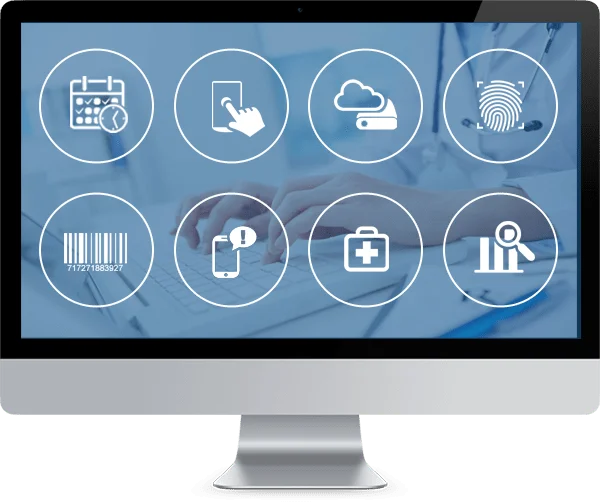
SoftClinic GenX Hospital and Clinic information Management System offers physicians an easy way to manage their patients’ data while saving time which can be spent talking with patients. Key features of SoftClinic GenX HMS Software are:
-
Online Appointment System
-
Mobile App Access for Physicians
-
HIPAA compliant cloud backup
-
Fingerprint scan Identification System
-
Barcoded Reporting System
-
Auto Notifications and SMS Alerts
-
Equipment Interfacing
-
Advance Data Analytics